Intent OS
A prototype of a responsive operating system with no apps or folders: Spaces assemble from intent, modules are defined by item, action, and condition, and the interface adapts to the task.
An operating system that responds to intent
Intent OS is an interactive prototype of an operating system with no apps or folders. Instead of remembering which program handles a task, you state what you intend to do, and the system assembles a workspace of the content and actions you need.
Today a single task — say, arranging a trip — is scattered across mail, chat, calendar, airline sites, and notes. Every jump between apps breaks focus. In Intent OS the task lives in one Space, and the interface adapts to it rather than the other way around.
- Spaces from intent“Plan a trip to Lisbon” assembles a Space with three flows: flights, stay, and itinerary. The more specific the intent, the smaller the Space: “Remind me to call Mom when I get home” becomes a single module.
- Flows and modulesA flow is a horizontal chain of modules; move between flows with ↑ ↓. Each module is defined by an item, an action, and a condition, and generates its own interface: an email, a chat, a calendar, an interactive map with directions, a music player, listings with photos, a conditional alarm, weather, a product card.
- Everything works on mock dataEvery button does something: books a flight, creates an event, sends an email when a condition is met, forwards to a contact, draws a route. Voice input, selection-to-module, and an RU / EN switch for both interface and data.
- An intent line on every moduleCommand line, natural language, and interface hints in one field. As you type, the sentence is parsed into item, action, and condition: “remind me to pack when the flight is booked” rebuilds the module into a triggered reminder.
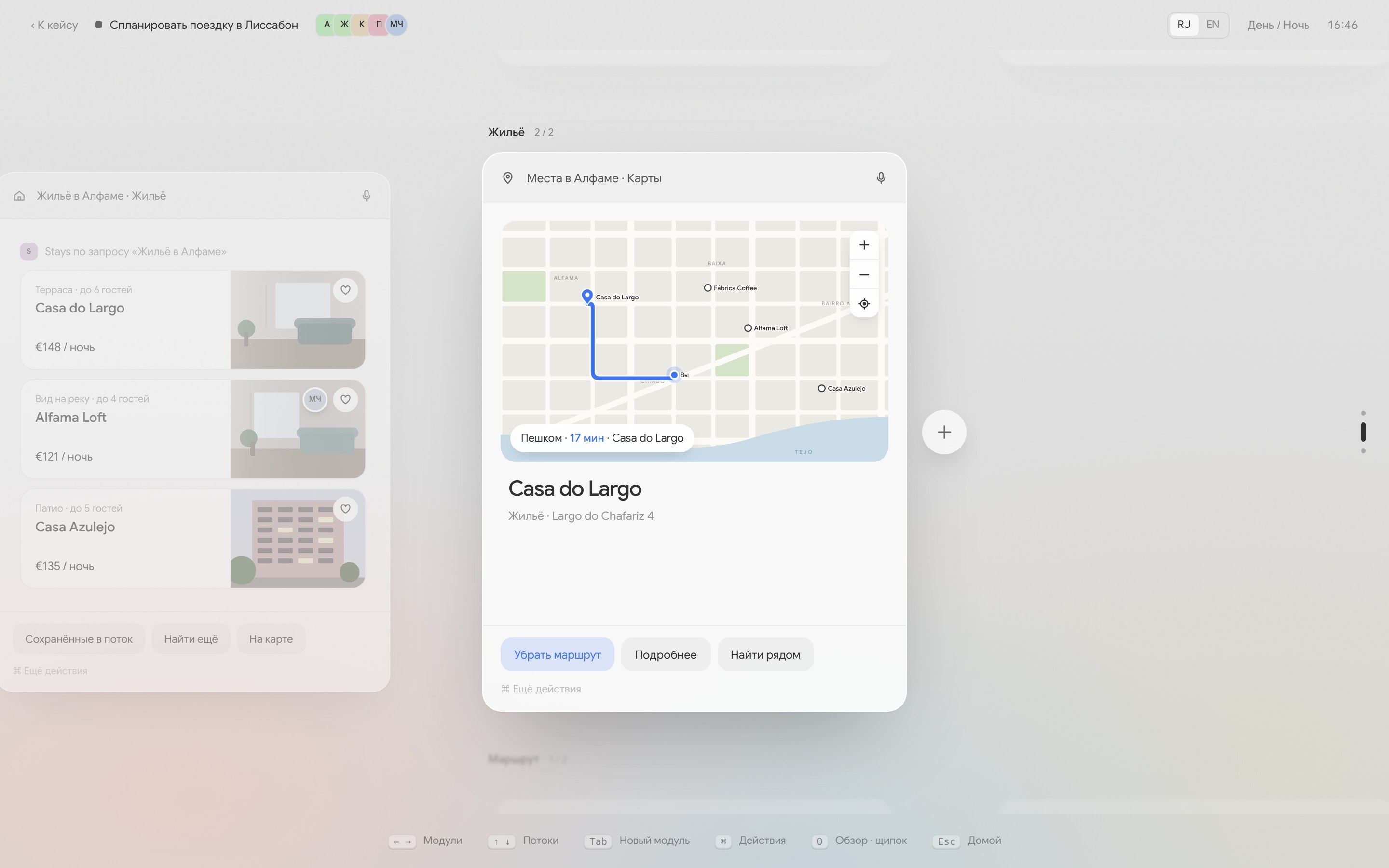
How interaction works
| Input | What happens |
|---|---|
| Enter on the home screen | The system assembles a Space from the stated intent. |
| ← → and ↑ ↓, trackpad gestures | Move between modules in a flow and between flows. |
| Tab or “+” | An adjacent module with actions predicted from the parent’s context. |
| ⌘ — tap or hold | One standard list of actions for every module; typing filters it instantly. |
| Text selection | A new module from the selected fragment; the parent stays untouched. |
| Pinch or O | Space overview: flows, generation rules, and collaborators. |
| ↑ on the home screen | Timeline — a history of Spaces searchable by description: “the blue chart Leo sent” finds the right screenshot. |
Collaborators — services and people — are sandboxed: each sees only the modules it touches and can add new ones on its own. A few seconds in, Weather suggests swapping days because of rain, and Calendar moves a meeting so it no longer overlaps the critique.
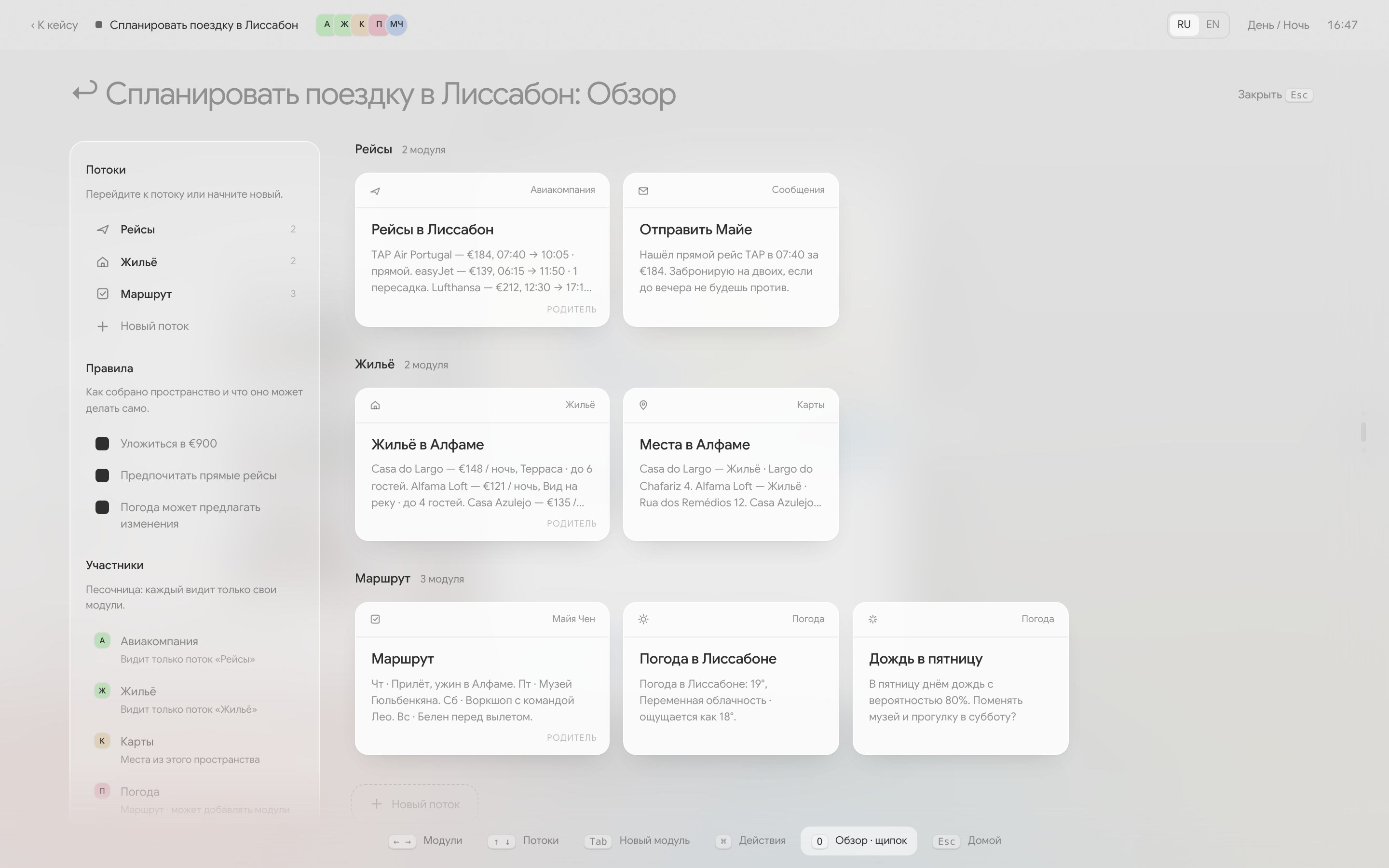
Responsiveness and visual language
- Focus over noise: only the module you are working in stays sharp; everything else recedes into a soft fog, so contrast appears only where it is needed;
- Choreography without resistance: modules arrive on spring curves, the overview unfolds from the active module and gathers back into it, and neighbours glide apart when you reorder cards;
- Instant feedback: intent is parsed live, key presses register in the hints, and collaborators add modules without a reload or losing your typing focus;
- Day and night: at night, modules glow with a soft backlight.
Where the pattern breaks and what I learned
Intent OS is a working interface prototype on mock data, not a shipping operating system. Testing the flows across multi-step scenarios exposed four places where pure intent-driven UI runs into hard limits:
- Cold start and blank-input anxietyStating a specific goal (“book the morning flight”) is fast; stating an exploratory one (“figure out September travel”) stalls at the prompt. Without spatial anchors or recent artefacts on screen, an empty command line asks the user to do the system’s framing work up front.
- Long chains lose spatial memoryUp to 4–5 modules in a horizontal flow feel lighter than switching windows. Beyond ~8 modules across parallel flows, the fog that protects focus starts hiding state: people open the Overview (
O) just to check whether an earlier card is still active or waiting on a condition. - Natural language is clumsy for fine-grained editsParsing “remind me when the flight is booked” into
item + action + conditionworks well on the first pass. Tweaking one threshold later (“make it two hours earlier, but only on weekdays”) is slower in prose than clicking a direct control—generated modules still need deterministic inspector affordances. - Proactive collaborators need a staging boundaryWhen sandboxed services (
Weather,Calendar) insert or reorder modules automatically, even helpful changes feel intrusive if they shift the active chain mid-thought. Autonomous updates have to land as a diff or a staged suggestion before they mutate the workspace.